
Minimum XP Spend
Set minimum XP spend requirements on individual products to gate certain items for your most loyal customers. Customers who don’t meet the XP threshold will be blocked at checkout.
-
Add the XP Network Block
Section titled “Add the XP Network Block”Go to any product in your Shopify Admin > Products and scroll down to the blocks section. Add the “XP Network Product Settings” block to the product page.
-
Set the Minimum XP Requirement
Section titled “Set the Minimum XP Requirement”Enter the minimum XP points required to purchase the product. You can also set different minimums for specific variants. Click Save to apply.
-
Enable Checkout Validation
Section titled “Enable Checkout Validation”For minimum XP requirements to be enforced at checkout, you must enable the validation function:
- Go to Settings > Checkout in your Shopify Admin
- Scroll down to the “Checkout rules” section
- Find “XPN Checkout Validation” and click “Add rule”
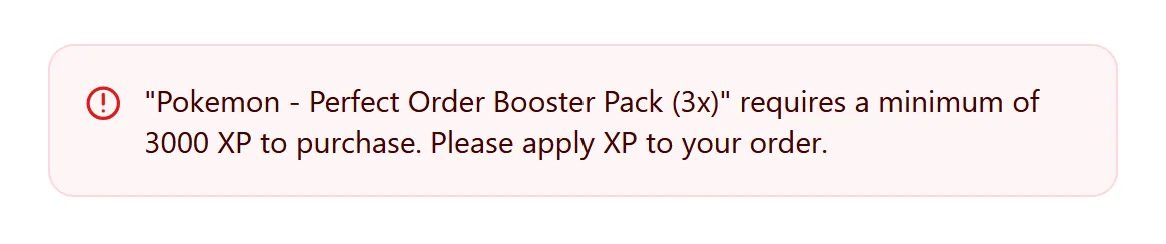
The validation is now active for all checkouts. If a customer doesn’t have enough XP, they’ll see an error message and won’t be able to complete the purchase.
-
Display Minimum XP on Your Storefront
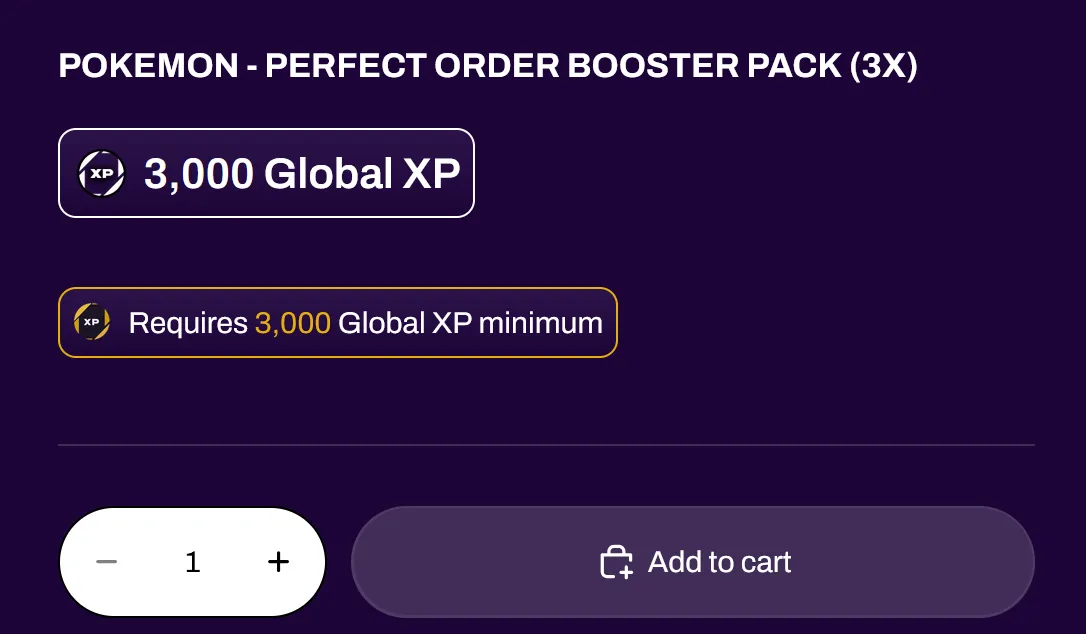
Section titled “Display Minimum XP on Your Storefront”You can add a theme block that shows customers the minimum XP needed to purchase a product directly on the product page.
- Go to Online Store > Themes in your Shopify Admin
- Click Customize on your active theme
- Navigate to your product page template
- Add the “XP Minimum Spend” block where you want it to appear
- Click Save
This block will automatically display the XP requirement for each product, so customers know upfront how much XP they need before adding it to their cart.
How Minimum XP Works
Section titled “How Minimum XP Works”| Level | Behavior |
|---|---|
| Product-level | Sets a default minimum for all variants |
| Variant-level | Overrides the product-level minimum for specific variants |
| Additive | Requirements multiply by quantity (e.g. 100 XP minimum x 3 qty = 300 XP required) |