Add Org Members
You can add additional members to your organization to help out with managing it.
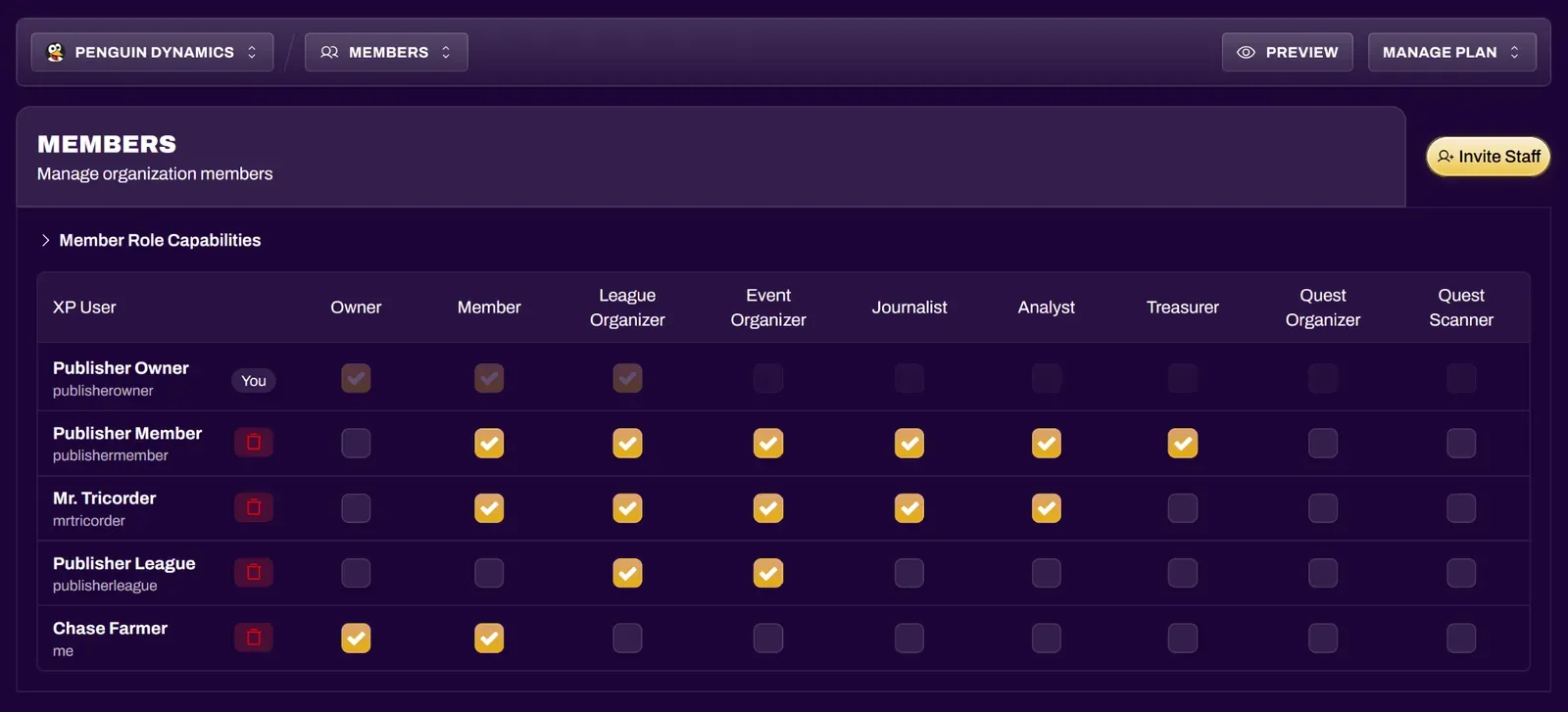
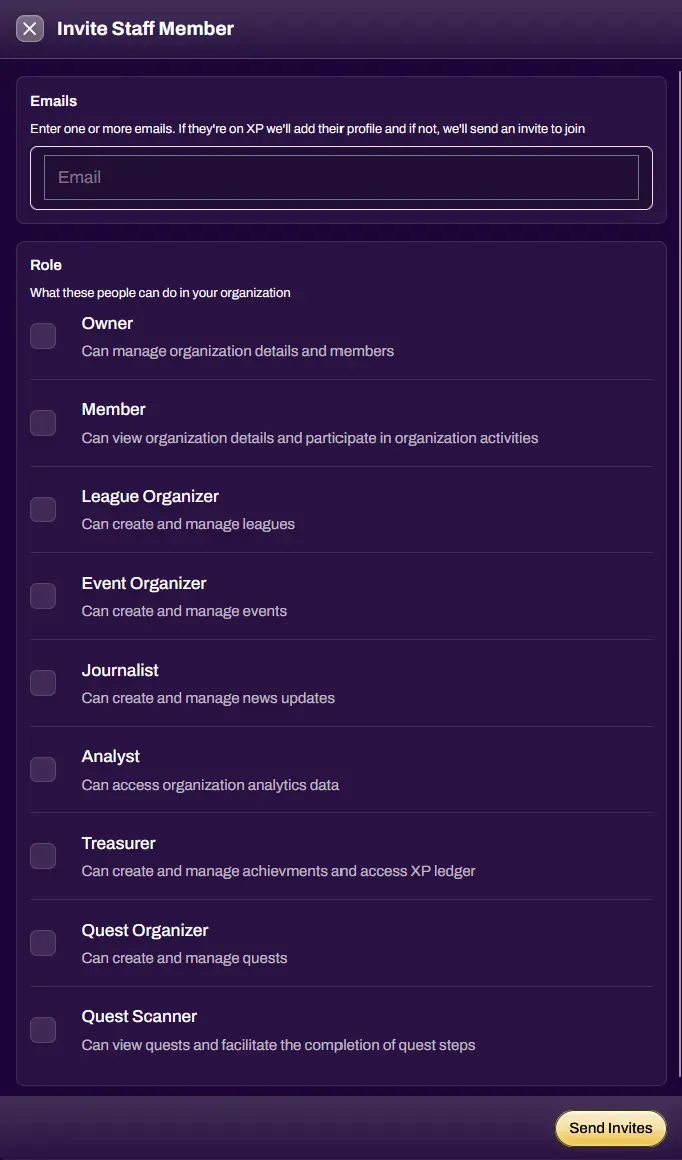
Select the Invite Staff button to add more staff to your organization. Enter their email address and select the roles you wish to grant them. Upon selecting Send Invites, if their email address is linked to an account on XP Network, they will be added with their respective roles. If their email address is not linked to an account on XP Network, they will receive an email inviting them to join.

Member Roles
Section titled “Member Roles”| Owner | has full admin privileges, can view the entire organization dashboard, can add and remove members and edit roles |
| Member | can view other members of the organization |
| League Organizer | can host and manage leagues/events officially under your organization |
| Event Organizer | can host and manage events officially under your organization |
| Journalist | has access to the Mailing List and can post updates for your organization |
| Analyst | can view organization analytics |
| Treasurer | can create and unlock achievements/items for users, and can transfer XP from your organization to users |
| Quest Organizer | can create and edit Quests, and can scan users to complete their Quest steps |
| Quest Scanner | can scan users to complete their Quest steps |
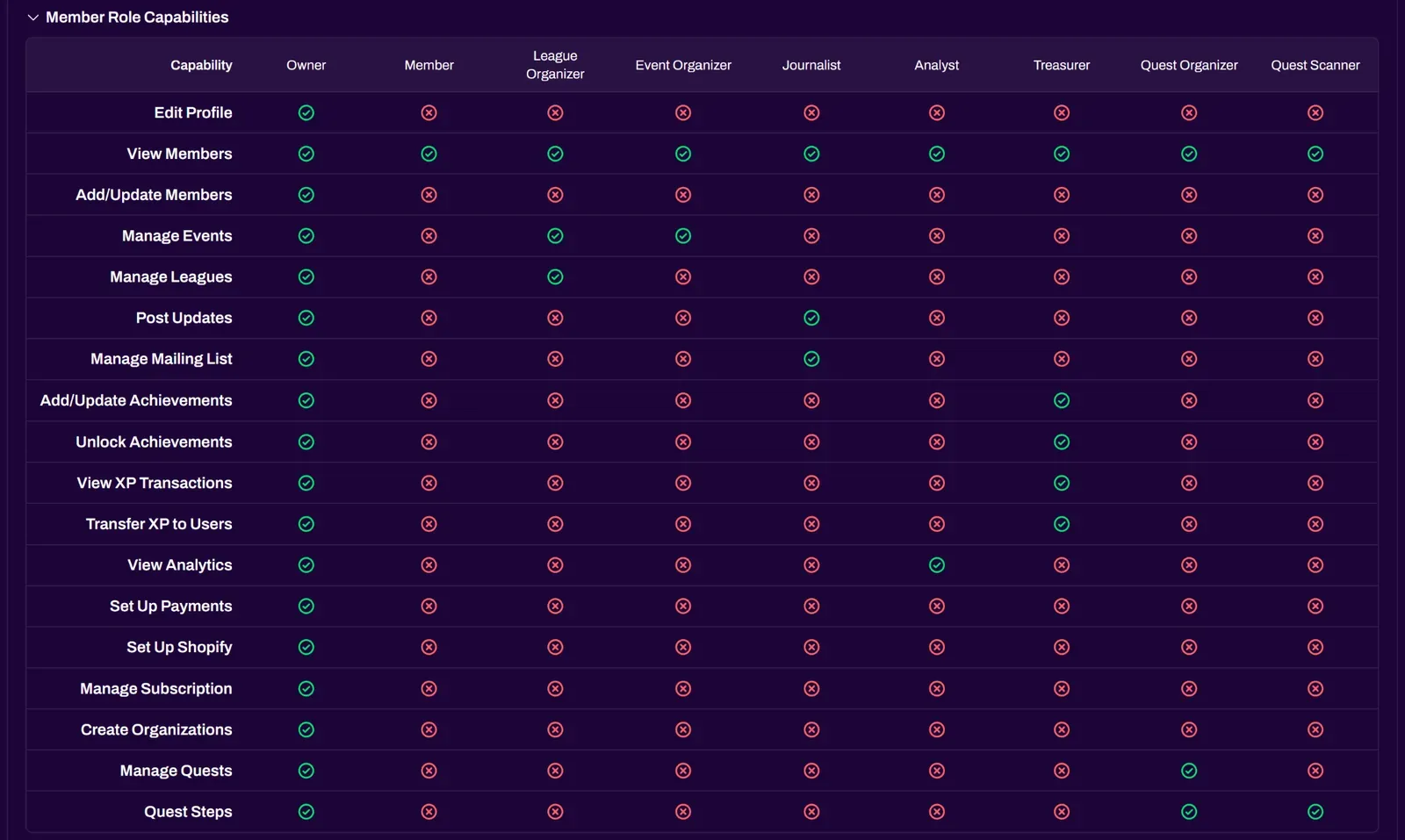
You can view the Member Roles Capabilities dropdown for a full permissions matrix.
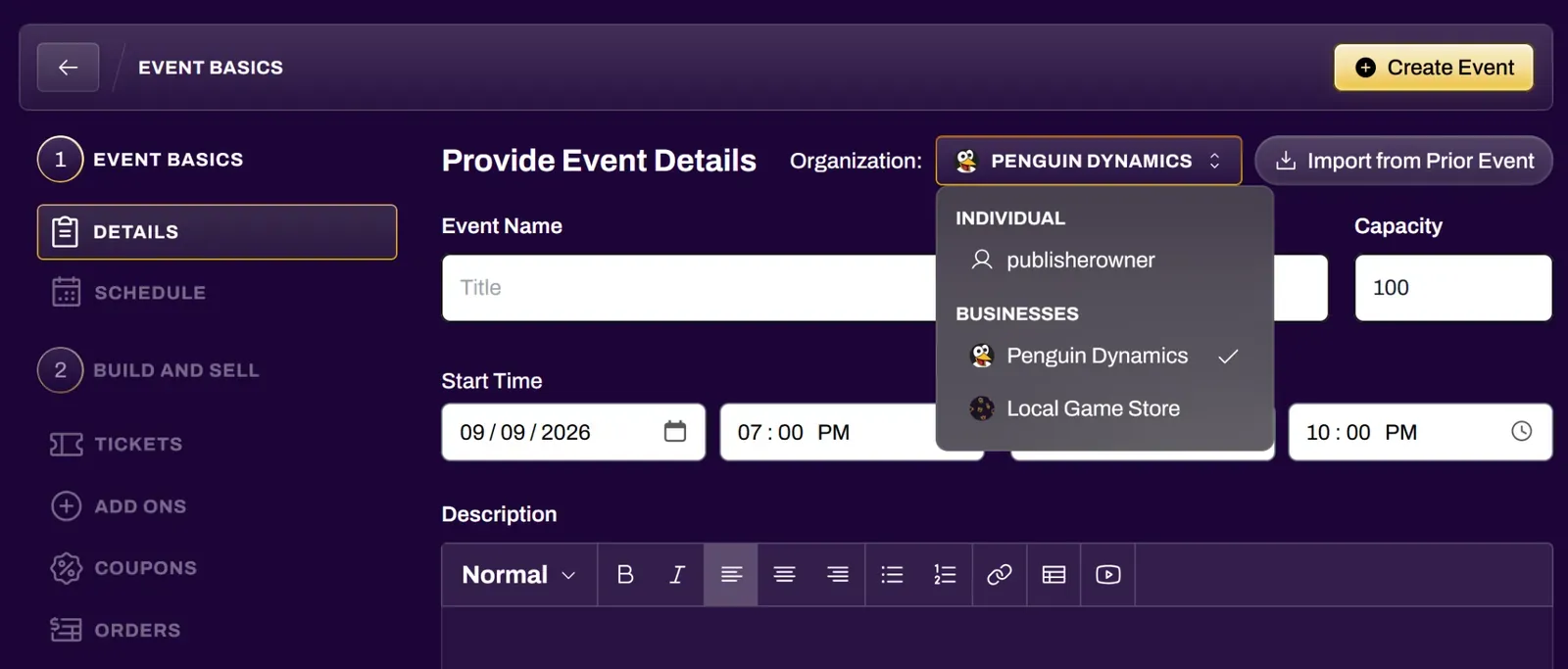
Events Under Your Organization
Section titled “Events Under Your Organization”Event Organizers can select your organization when creating events. These events will show up on your organization page and event history. If you have your Stripe account linked, organizers who create events under your organization can create paid tickets for those events, and all sales will go to the Stripe account connected with your organization.