
Featured Drops
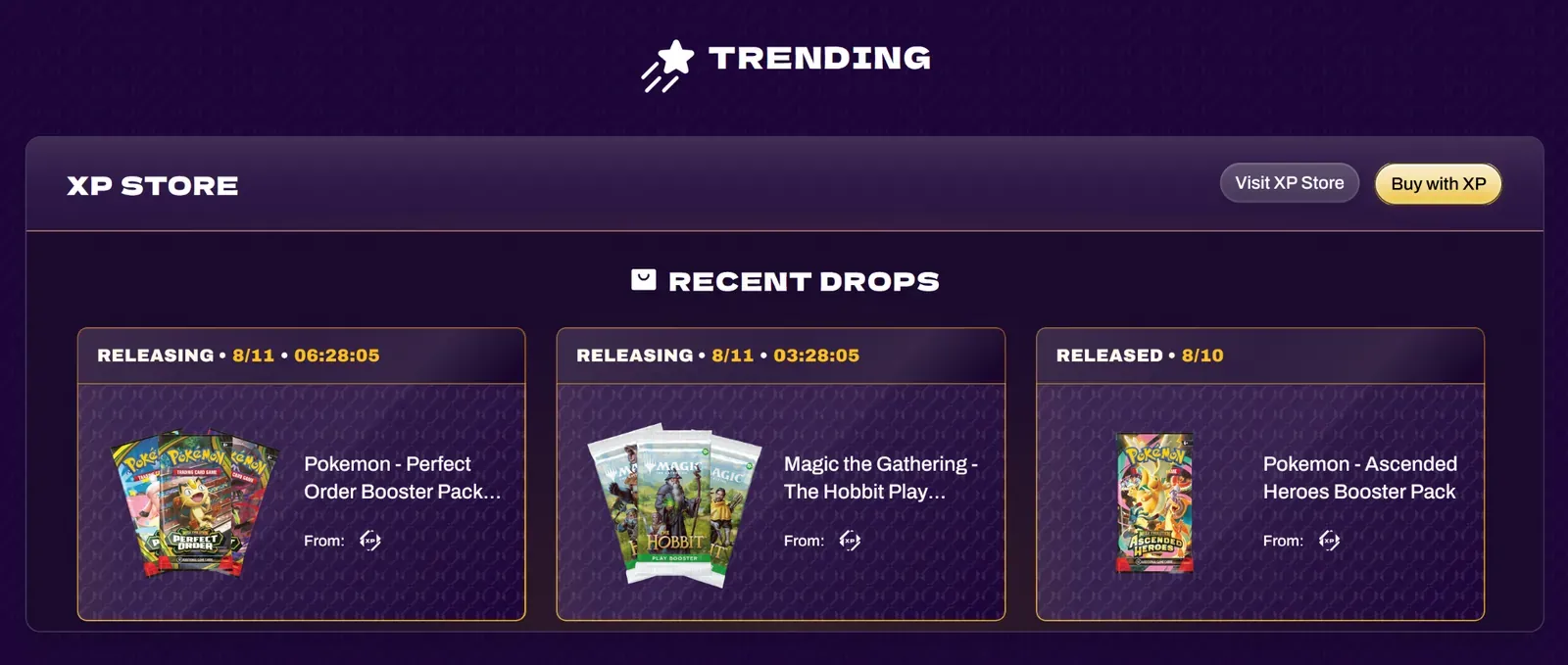
Drops are limited-time product releases with countdown timers displayed on xpnetwork.com. Use them to create urgency and exclusivity around product launches.
Setting Up a Drop
Section titled “Setting Up a Drop”-
Add the XP Network Block
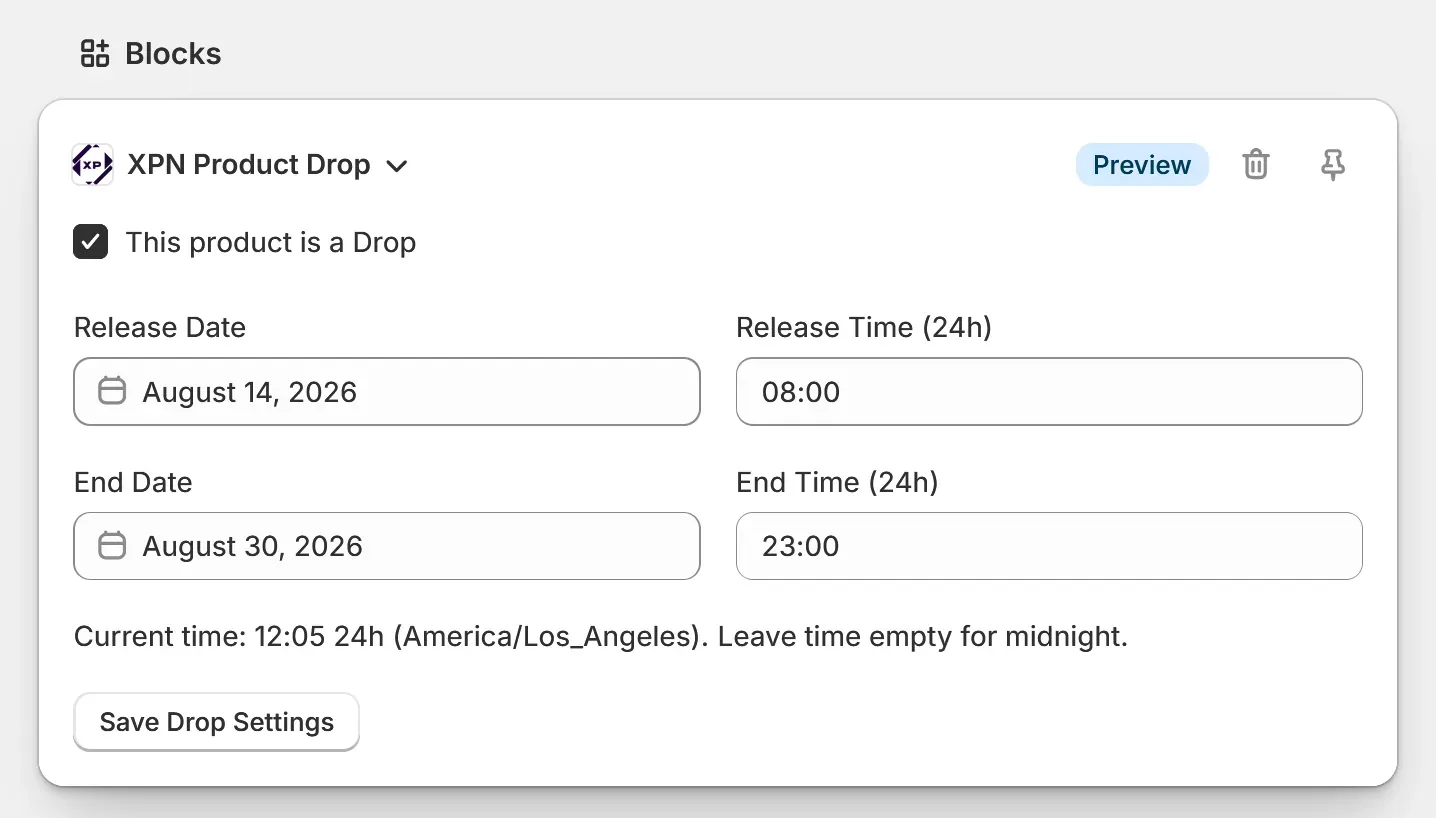
Section titled “Add the XP Network Block”Open any product in your Shopify Admin > Products and scroll down to the blocks section. Add the “XP Network Product Settings” block to the product page if you haven’t already.
-
Enable the Drop
Section titled “Enable the Drop”Check “This product is a Drop” to enable it.
-
Configure Dates
Section titled “Configure Dates”- Set the Release Date & Time, when the product becomes available for purchase
- Set the End Date & Time, when the product is no longer available
- Click “Save Drop Settings”.
-
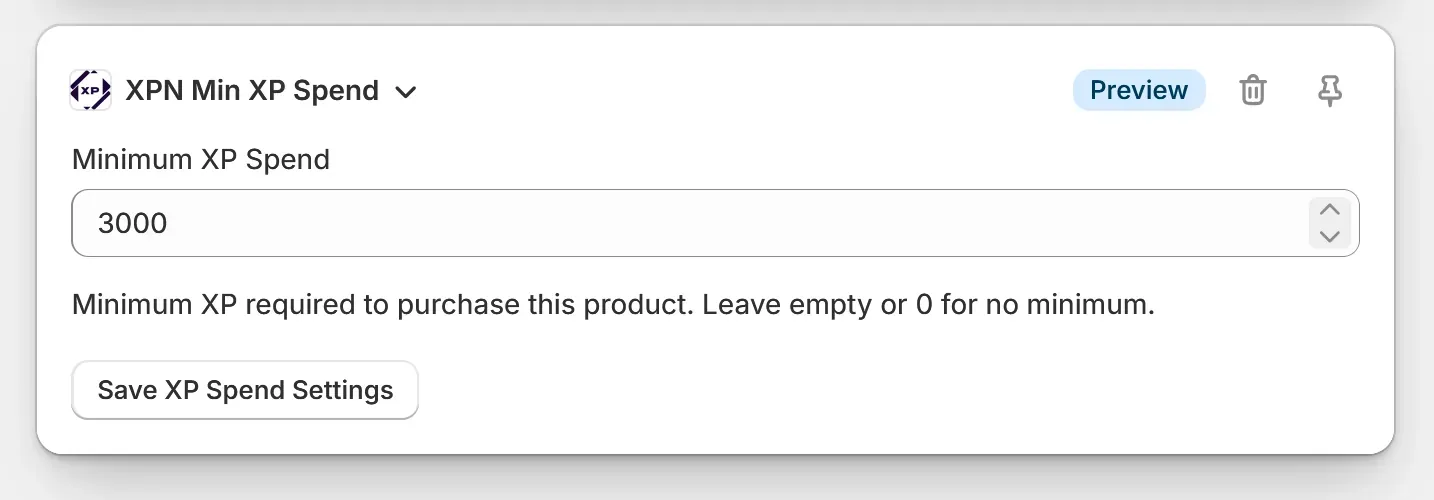
Set a Minimum XP Spend
Section titled “Set a Minimum XP Spend”Optional
Set a Minimum XP Spend to restrict purchases to your most loyal customers. See Minimum XP Spend for details on how this works.
-
Click Save on the product page.
How Drops Appear on XPNetwork.com
Section titled “How Drops Appear on XPNetwork.com”| Stage | Behavior |
|---|---|
| Before release date | A countdown timer is displayed on xpnetwork.com |
| After release date | The drop links customers to your Shopify store to purchase |
| After end date | The drop is no longer displayed on xpnetwork.com |
If a minimum XP spend is configured, customers must meet the threshold to purchase.